5
Settings
Sonja M Thomas edited this page 2026-11-26 23:44:57 -06:00
Home / User Manual / Settings
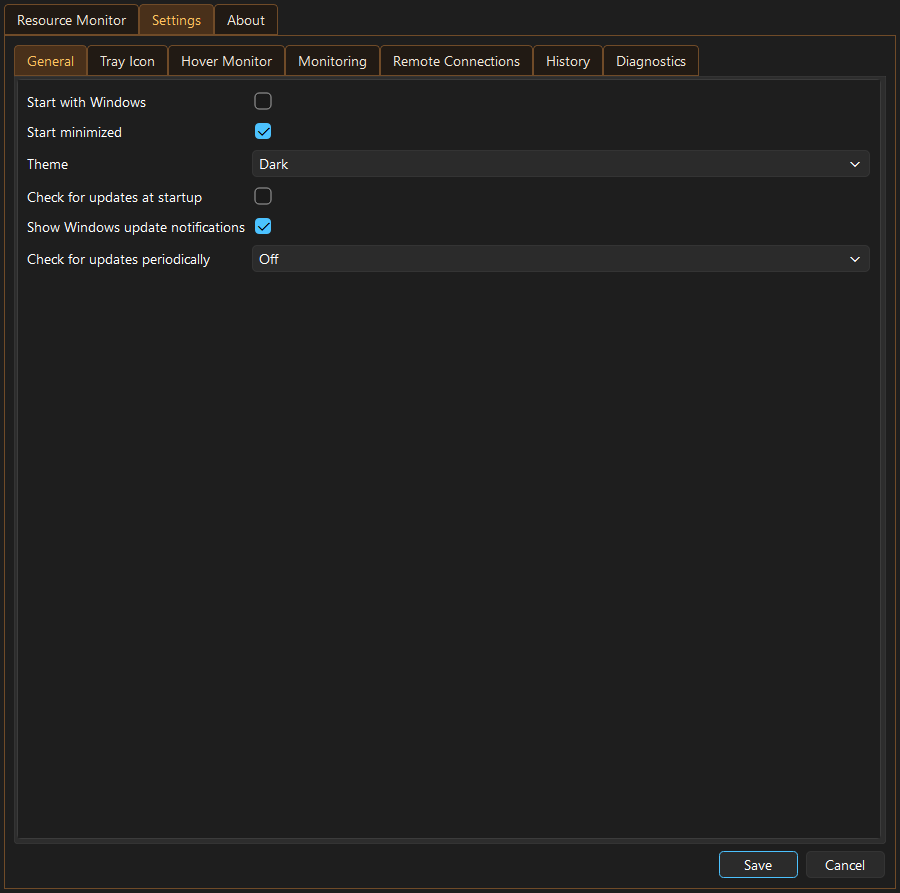
Open Settings from the main window or tray. Both routes lead to the same open draft. Save applies and persists changes. Cancel discards that draft. Switching between Settings and another main tab preserves pending edits.
| Category | Controls |
|---|---|
| General | Start with Windows, Start minimized, System/Light/Dark themes, startup update check, Windows update notifications and periodic update checks (Off, 4 hours, 12 hours, daily, weekly). |
| Tray Icon | Visualization, tray machine, separate icons, refresh, history range, disk graph selection, automatic or fixed disk and network throughput scales, visible resources, transparency, background color, resource colors and separate Network IN and OUT colors. |
| Hover Monitor | Hover delay (0 to 5,000 ms), dismissal delay (100 to 10,000 ms), width (300 to 1,800 px), height (210 to 1,200 px), graph columns (1 to 3), default history range and visible graphs. |
| Monitoring | Local sampling interval, default remote sampling interval, local GPU, disk and interface selection. Empty device selections allow automatic selection. |
| Remote Connections | Default timeout (2 to 30 s), retry behavior for new targets and access to profiles, credentials and SSH keys. Each remote profile can override applicable defaults. |
| History | Persistent recording, retention (1 to 365 days), maximum database size (16 to 4,096 MiB), database location and Clear recorded history.... |
| Diagnostics | DEBUG, INFO, WARNING or ERROR logging and selectable status text. |
When changing interface selection, select one layer of each bridge or VPN path. When investigating history, inspect its location and retention before considering any deletion.

Original application developed by Sonja M Thomas, SLT Design Creations, LLC. Copyright 2010-2026 SLT Design Creations, LLC. Design Creations