Home / Getting Started / First-Time Configuration
Start with the default local-only display. In Settings → Monitoring, choose a local sampling interval based on how quickly measurements should change. In Tray Icon, adjust refresh separately and choose visible resources, history range and colors. Short refresh times update the drawing more often. Short sampling times ask providers for more observations.
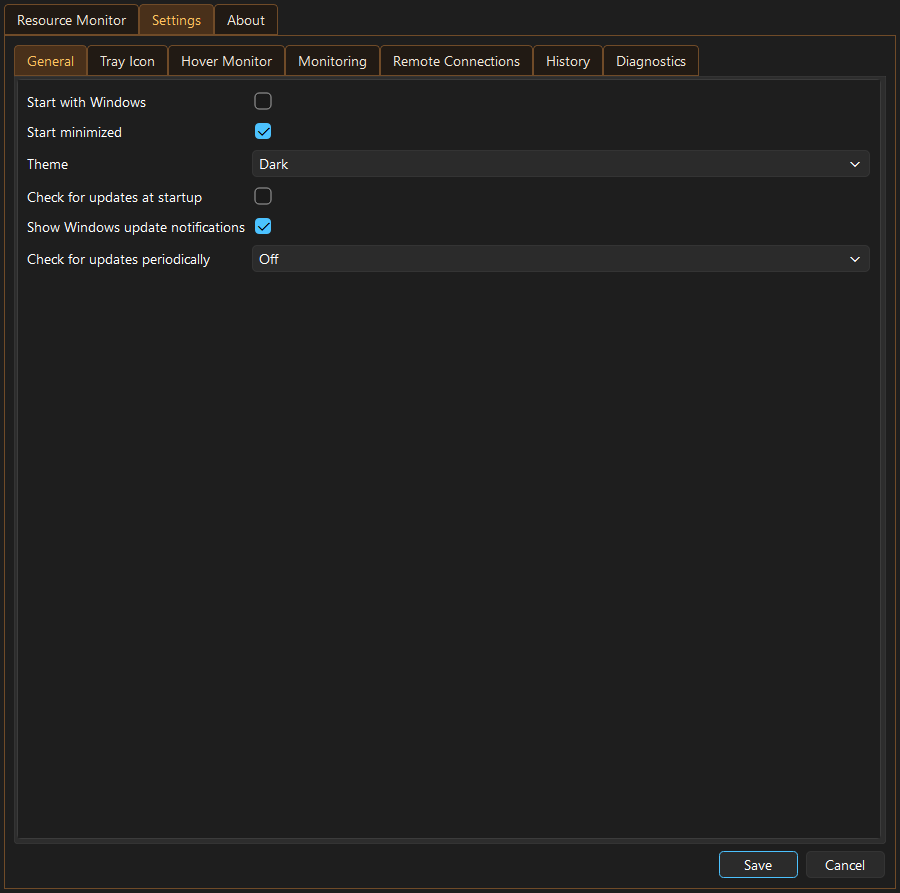
Use Settings → General for theme, Start minimized and Start with Windows. Startup and scheduled update checks are optional. Set a hover delay and size in Hover Monitor if the popup opens too easily or feels cramped.
History recording is optional. Choose retention and location only when you want data saved across sessions. Use Remote Connections to add authorized Linux systems after local readings appear. Review Settings for each available control.

Original application developed by Sonja M Thomas, SLT Design Creations, LLC. Copyright 2010-2026 SLT Design Creations, LLC. Design Creations